Challenge 155: Individual
Tuesday, July 5th, 2022 03:24 am![[personal profile]](https://www.dreamwidth.org/img/silk/identity/user.png) luminousdaze posting in
luminousdaze posting in ![[community profile]](https://www.dreamwidth.org/img/silk/identity/community.png) iconthat
iconthatThe new theme is...
Individual
Create icons that each use one, individual person for a subject - a fandom character, celeb or stock photo - and one dominant, or main color.
Replaced backgrounds or solid color backgrounds are not required for this.
But, please note that icons should not be in grayscale, sepia or cyanotype but in color, as in the examples below.
☙❦❧
Inspiration Board
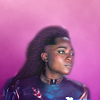



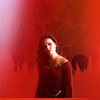 colls ♦ applepips ♦ delacourtings ♦ apologizeg ♦ nightbulbs



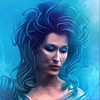 wickedgame ♦ goodbyebird ♦ sietepecados ♦ novindalf ♦
 ![[livejournal.com profile]](https://www.dreamwidth.org/img/external/lj-userinfo.gif) second_love
second_love☙❦❧
Info & Rules
❇️ Create up to FIVE (5) icons based on the given theme/prompt/topic.
❇️ You may use any fandoms: TV series, movies, comics, video games, actors or stars of music, fashion or sports.
❇️ Or use non-fandom stock photography or illustration.
Please, no real-world political or religious topics.
❇️ Icons are 100x100px, 60kb or less.
❇️ Icons should be all new, made by you for iconthat & not previously posted elsewhere for any other challenges or blogs.
❇️ Icons entered for the challenge should follow the community's rules, and fit the given prompts, or they may be disqualified at the moderator's determination.
❇️ Please post your icons as a new post to iconthat.
❇️ Tag posts with your username & challenge numbers if you can.
💡 For screen caps & pics check out
capshare, the resources post or capspiration.☎ If you have any questions about the challenge, please ask in a comment below.
✨ Thanks! Have a nice time!
⏳ Icons are due Tuesday, July 19, 2022 at 12 Noon [PDST]


no subject
Date: Tuesday, 5 July 2022 19:29 (UTC)no subject
Date: Tuesday, 5 July 2022 19:52 (UTC)no subject
Date: Tuesday, 5 July 2022 20:31 (UTC)no subject
Date: Tuesday, 5 July 2022 20:30 (UTC)no subject
Date: Tuesday, 5 July 2022 20:08 (UTC)no subject
Date: Tuesday, 5 July 2022 20:36 (UTC)no subject
Date: Tuesday, 5 July 2022 21:02 (UTC)Your Baby Yoda icon is so cute. *-*
no subject
Date: Wednesday, 6 July 2022 17:13 (UTC)I know,
no subject
Date: Wednesday, 6 July 2022 19:04 (UTC)no subject
Date: Wednesday, 6 July 2022 21:55 (UTC)Ao3?
Date: Wednesday, 6 July 2022 23:18 (UTC)Re: Ao3?
Date: Thursday, 7 July 2022 02:19 (UTC)no subject
Date: Thursday, 7 July 2022 06:56 (UTC)I'm absolutely loving all of the example icons here. Does anyone know of a gimp tutorial for how to make a similar effect? (I'm not good with GIMP yet, so I have no idea where to start.)
no subject
Date: Thursday, 7 July 2022 07:52 (UTC)Usually, you can use Photoshop tutorials & work around the features GIMP doesn't have, for most things.
If you're interested, ask-the-maker is still open for a little bit longer over at
If you find that GIMP isn't to your liking, Photopea is a Photoshop like app that has similar features to PS and that's completely free and online (no downloads). I think it's supposed to be easier to use than GIMP.
https://www.photopea.com/
And, recently,